Vision
TutorialEarly access
Synthetic Vision
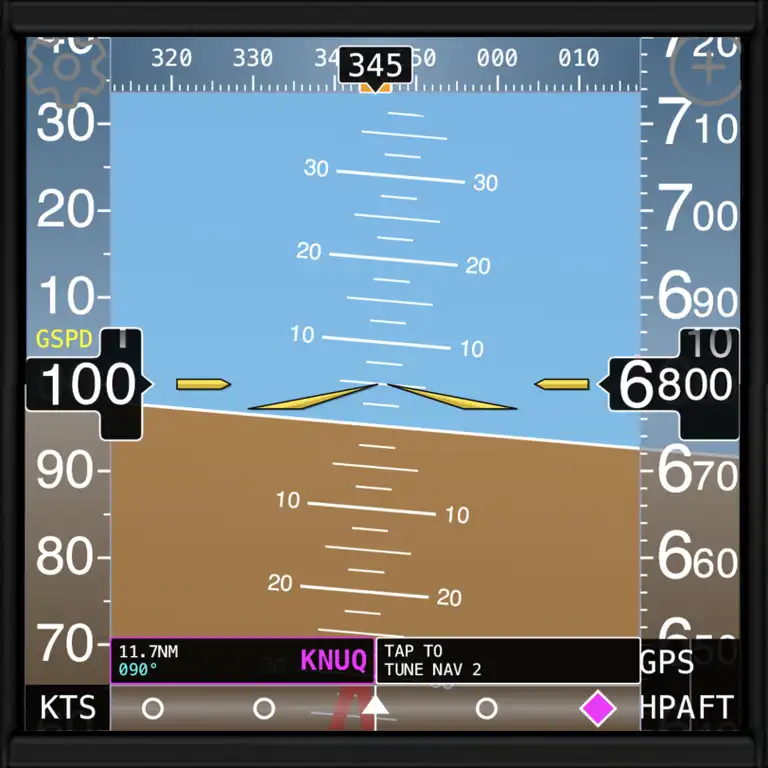
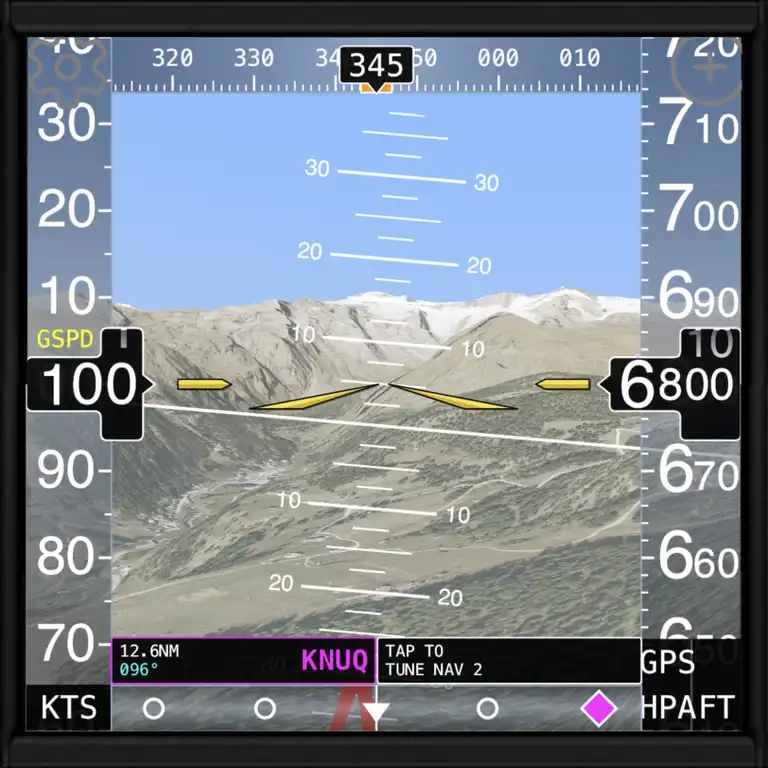
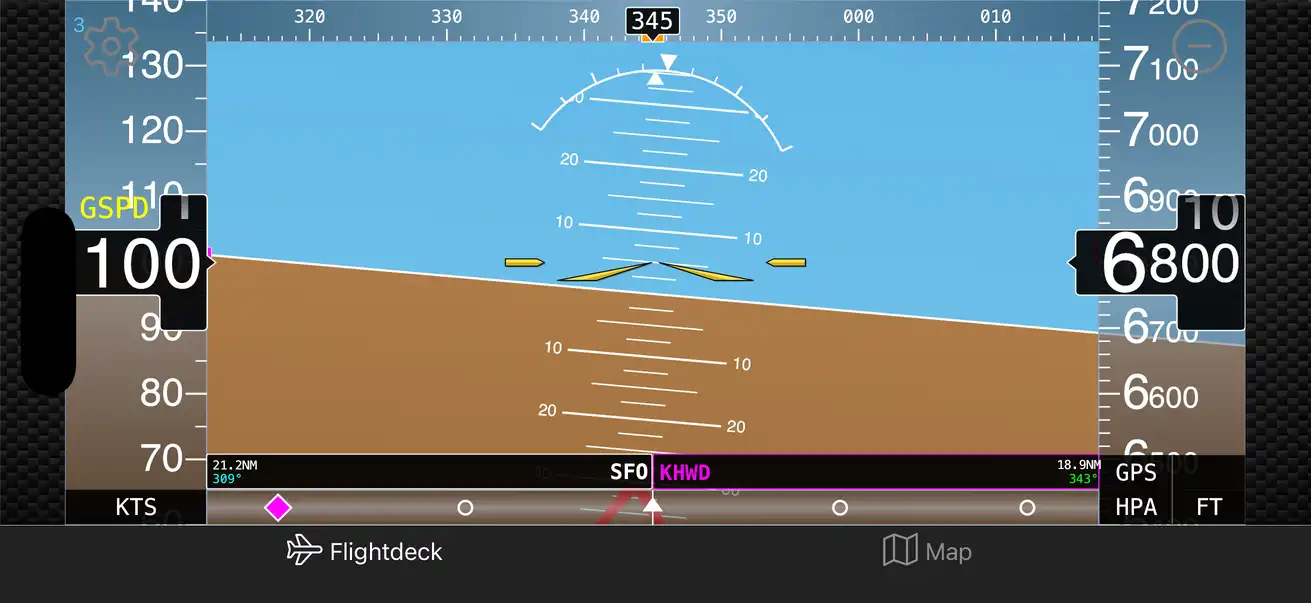
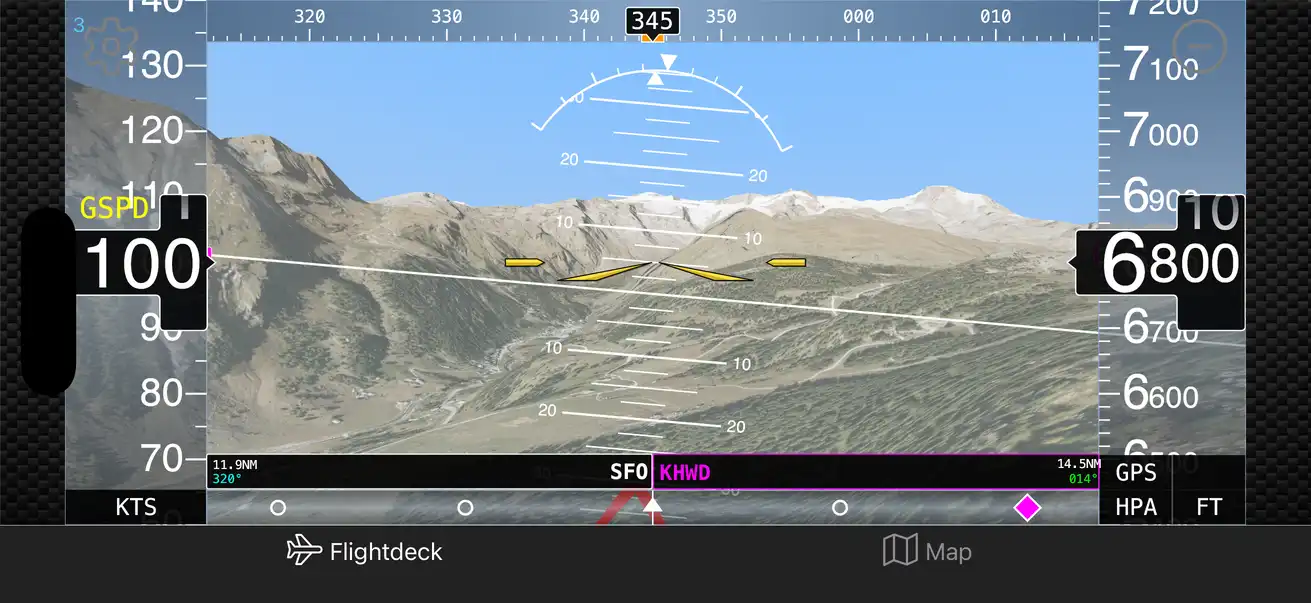
The Synthetic Vision instrument combines attitude, airspeed, altitude, and heading information with dynamic 3D terrain in a PFD style design.
fDeck brings a full set of stunning, true-to-life general-aviation instruments to your phone and tablet - from the brand-new synthetic vision PFD to traditional instrumentation, live weather, ADS-B traffic and a powerful radio-navigation trainer. And it is now 100% ad-free!
4.8★
App Store rating
50K+
Downloads worldwide
20k+
Airports & navaids
100%
Ad-free
Our brand-new flagship instrument renders a clean, modern primary flight display with synthetic vision. It is the most ambitious instrument we have ever built - and it is just the beginning.
Loved by pilots
4.8 stars on the App Store · 4.6 on Google Play · 50K+ downloads
“fDeck is one of my all-time favorite apps and this is especially true for the new version. I only fly RC planes myself. But a friend of mine is a pilot and we sometimes fly with his piper cub. In the back seat, I use the app and watch the flight. The app is made very professionally, all instruments are fully functional and look great. The support is also excellent, the developer helped me today immediately with a small problem.”
“Great app with lots of options for instruments, maps, navigation, etc. I fly an ultralight under US Part 103. This app helps by providing additional instruments without adding weight. The TCAS feature really helped when another pilot entered the pattern unannounced.”
“Great app for flight training, or just flying. I fly an antique airplane with antique instruments. With this app I can pull up a more modern style 6-pack on my tablet for better situational awareness. Very well done.”
“Amazing! Super useful app that does a truly ingenious job. I even tried the X-Plane connector — what a great job by a developer who knows his stuff!!”
“I don't usually write reviews but this app is just superb. The complexity and attention to detail is worthy of an award. It's unfortunate that only us aviation geeks will appreciate its greatness! Big thanks to Darren for the effort involved in making such a useful app.”
“Great visual app! I'm always looking for effective training aids and this shows tremendous promise to move to the top of the list. PLEASE KEEP AT IT. I'm happy to assist and provide evaluation/feedback.”
“I fly a trike (microlight) with no on-board instrumentation and discovered fDeck after trying a few other iPhone flight apps — I'm thrilled I landed on this. It's amazingly simple and easy to use. I purchased a lifetime membership and was more than happy to do so. I use it every time I'm up. Works great with my iPhone even at 22°F (-5.5°C) for about 2 hours and it never faltered.”
“This is a great app. I'm not actually flying anymore, but this is a great app to even use in the car. Really love the sectional map overlay. What is most amazing is the quick response times from Sensorworks support.”
“I fly microlights in South Africa and have used this app many times. With the limited instruments in the microlight, this is a flippen awesome addition and love using ALL the instruments and features. Well done.”
“Just started using this app recently and what a surprise — I'm a flight instructor and CFII and this app offers all sorts of utilities for both teaching and flying. I use the ADF to give accurate position reports, the chronometer for ZULU time, approach timer and fuel estimations, and the map to teach navigation. I'm really looking forward to what this developer will continue to do.”
“I was very pleasantly surprised when I downloaded this app. Just wanted some decent compass. But this app can really be a nice addition to the flight instrument with lots of extra features for preflight preparation. Very professional design and functionality.”
“I'm updating my review to highlight the reworked weather instrument. The addition of the radar, TAFs & METARs, is a fantastic enhancement, especially with the very intuitive selection buttons. I use this when paramotoring, which is extremely weather dependent, and this is a very welcome update.”
“Beautiful app, clearly with a great deal of care and attention in its development. Great for simming but I'm also using it in real life as a heading bug tool on an aircraft that doesn't have one fitted. The dev is very responsive to feature suggestions.”
“I have been using this as an additional aid to navigating since January — it works fantastically as a standalone product, very flexible in what you can see. Currently set up as 1×2 instruments in a ⅓ screen alongside SkyDemon. At a glance gives me great flight and situational awareness.”
“Use it every flight! I use both the GPS Ground Speed and the ADF instrument on every flight. Very easy to see in flight and works flawlessly. The ADF points to the GPS target entered and gives DME. My private grass strip is somewhat hidden in a forest so this is quite helpful.”
“The app is an excellent tool to learn, teach, or practice the use of many avionics devices that you might not have in your plane; and the developer is great at responding to questions, comments, or suggestions.”
“I've used many aviation apps but this one is hands down the most useful. Super easy to navigate its features and lots of options. It's the perfect back up!!”
“Concise, easy to configure, even easier to use. H/T to the developer — thanks for the work and effort you have put into this fine app.”
“I love that you made this app, it's amazing and so easy to use. One other thing I appreciate a lot — thank you for being a human who is going through and replying to these reviews and not a bot that puts the same thing. That's underrated. Keep up the work!”
“I use fDeck quite often as a backup to my glass instruments as well as when flying the light-sport that has the bare minimum instruments. I guess it's a good comfort zone for me as an older pilot.”
The instruments
Every instrument is graphically accurate with ultra-smooth animations. You can go full-screen on a single instrument and have multiple instruments of the same type. fDeck lets you build your own custom flight deck!
The Synthetic Vision instrument combines attitude, airspeed, altitude, and heading information with dynamic 3D terrain in a PFD style design.
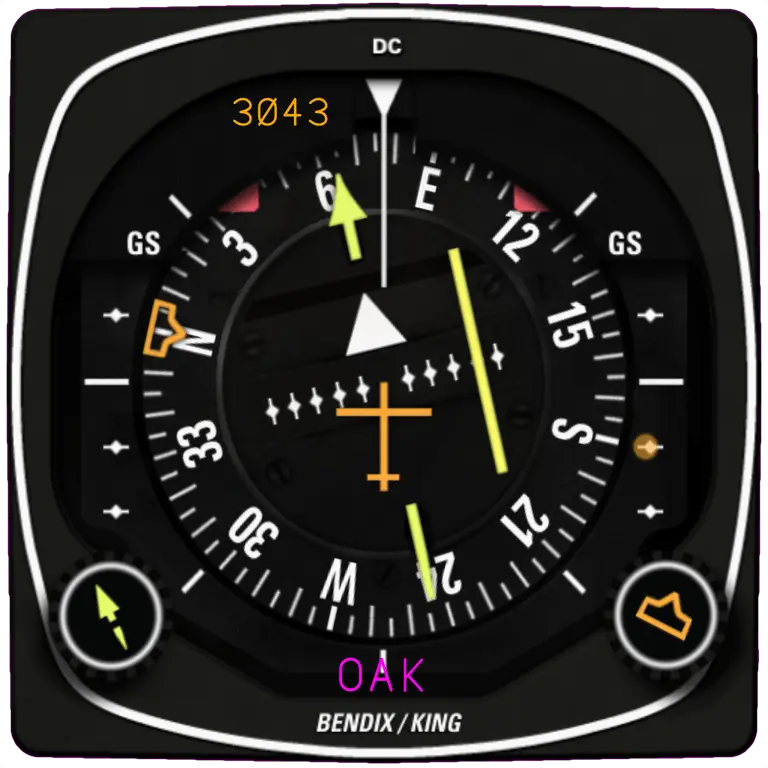
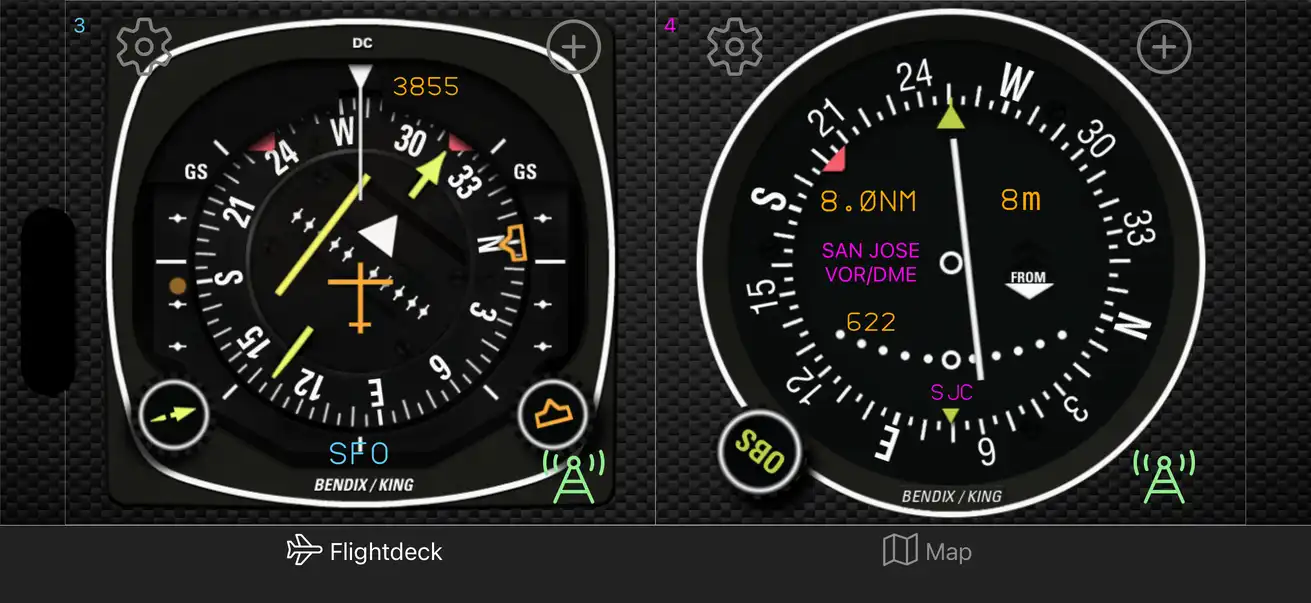
The HSI instrument combines a compass/heading display with navigation course deviation information, showing the aircraft's heading, selected course, and lateral displacement from that course on a single rotating compass card.
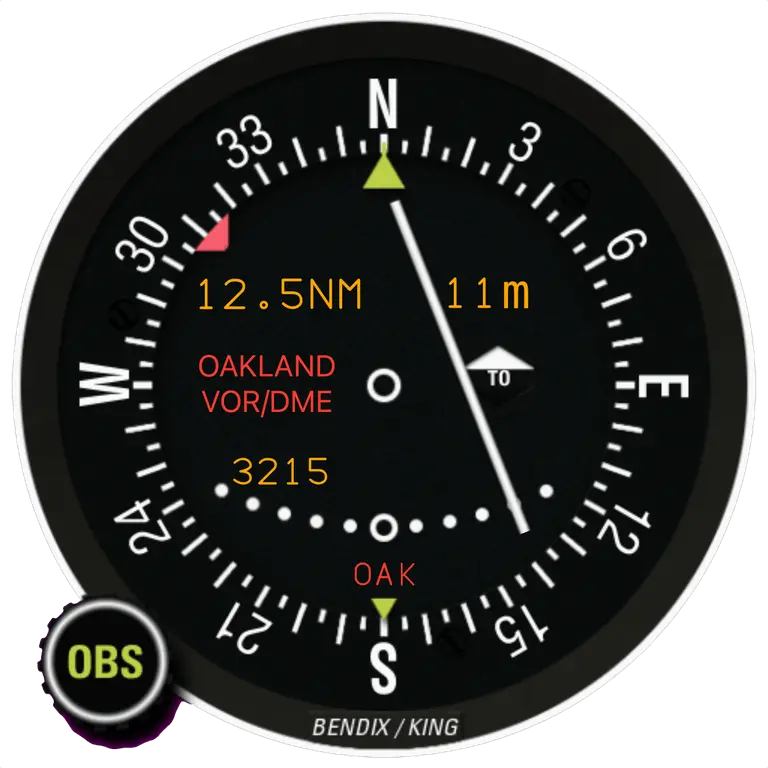
The VOR instrument displays a Course Deviation Indicator (CDI) needle that shows lateral displacement left or right of a selected VOR radial and a To/From flag indicating if the aircraft is flying toward or away from the station.
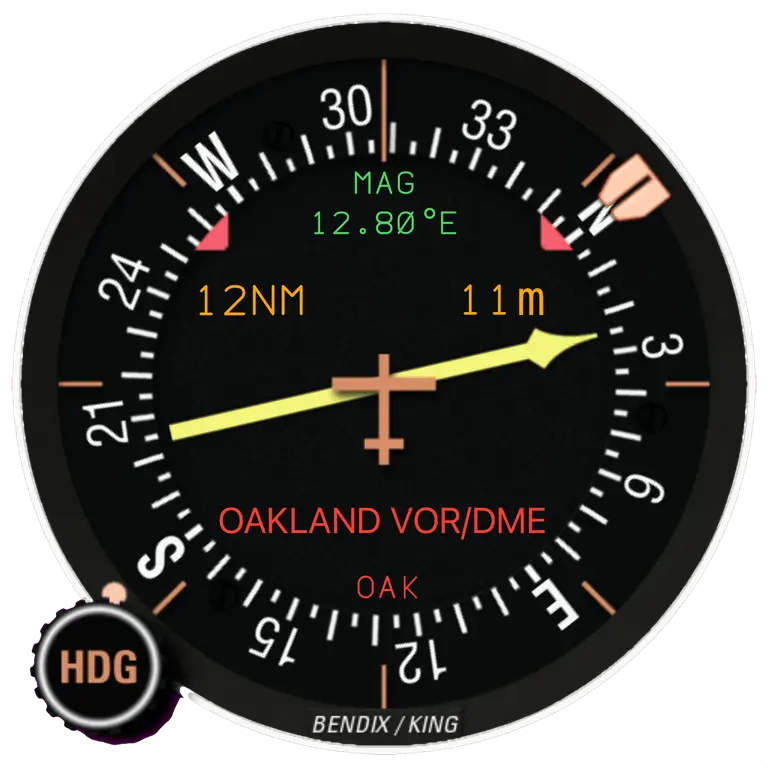
The ADF instrument has a needle that points continuously toward a navigation station, showing your relative bearing to the station.
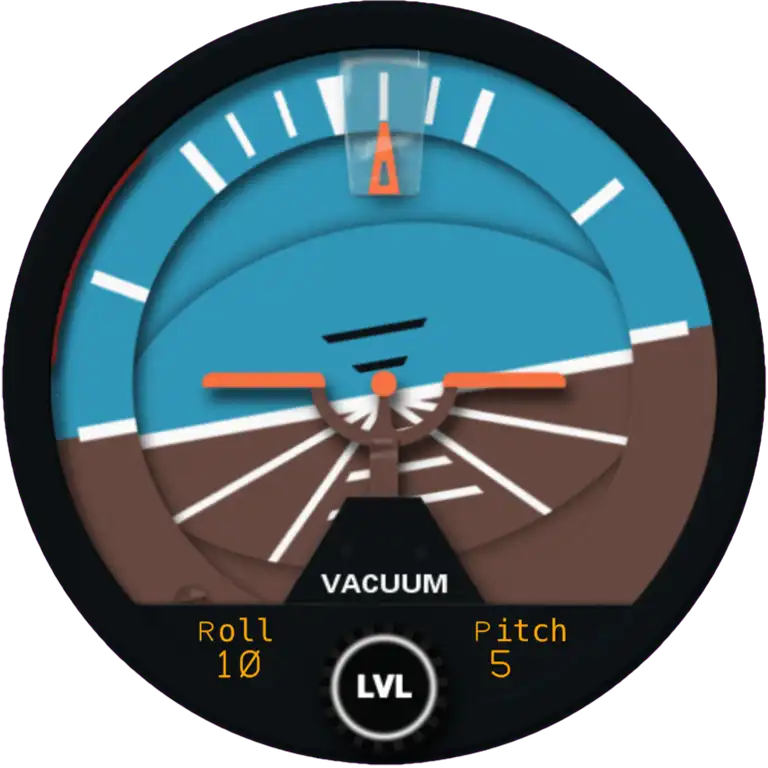
The Attitude Indicator instrument displays your pitch and bank angles relative to the natural horizon. It uses your device's built-in sensors to show nose-up/down and wing-left/right orientation.
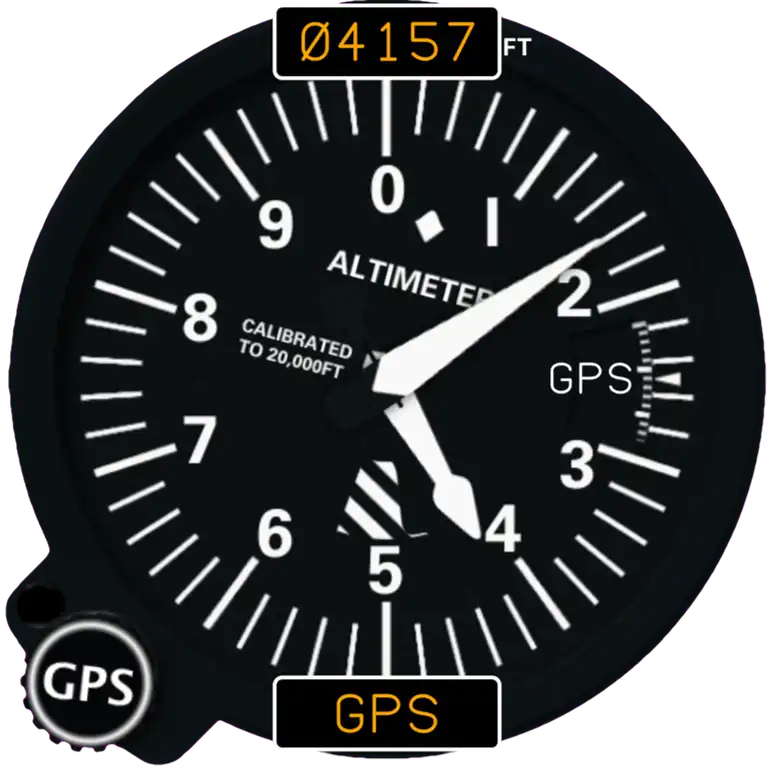
The Altimeter instrument displays your height using GPS altitude or barometric pressure. It also allows you to account for local pressure settings.
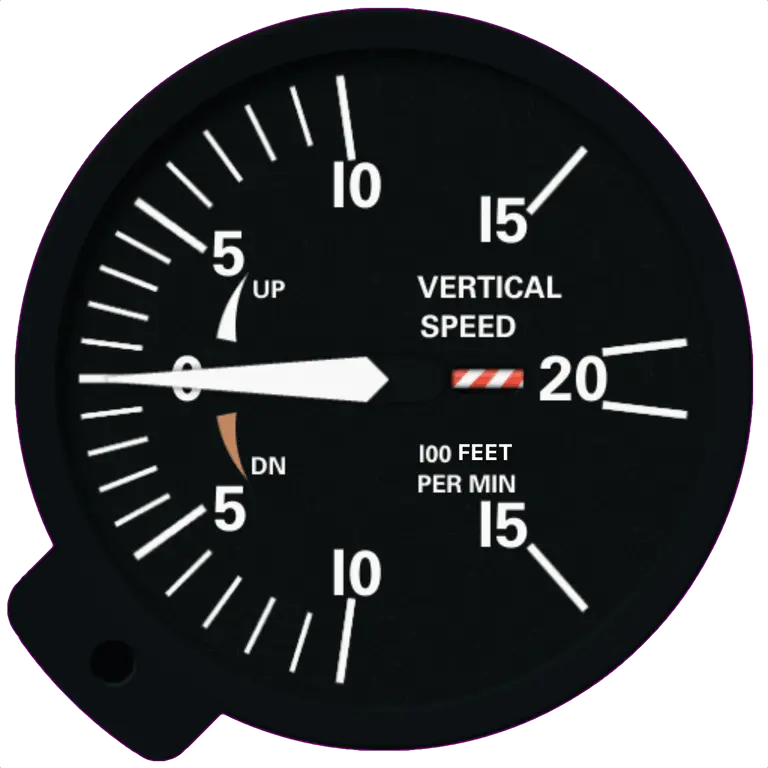
The Vertical Speed instrument displays the rate of change of altitude, showing whether you are climbing, descending, or in level flight by measuring the rate of change in static pressure or GPS altitude.
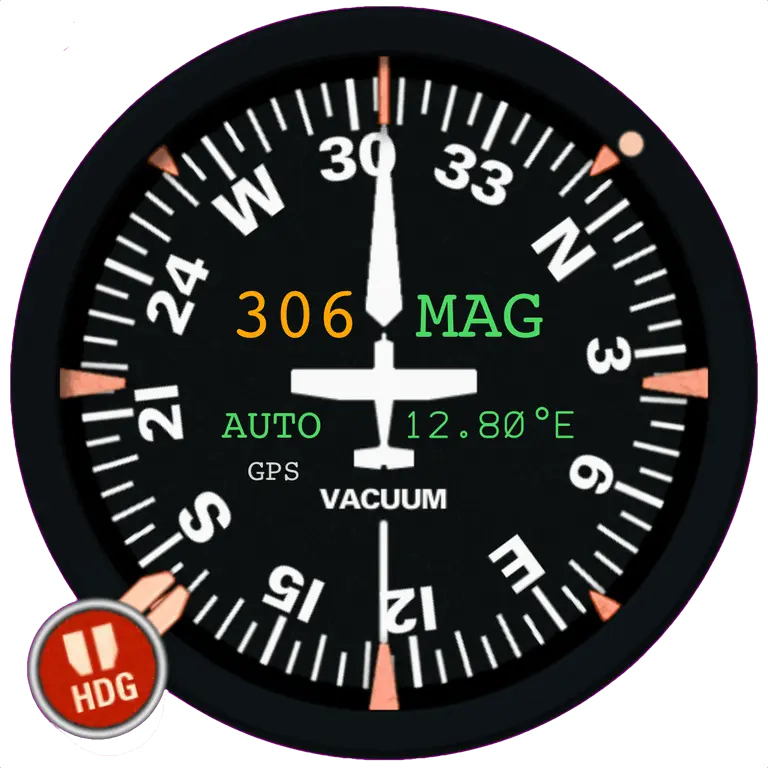
The Compass instrument displays the aircraft's magnetic (and optionally true) heading and the current magnetic declination at your location.
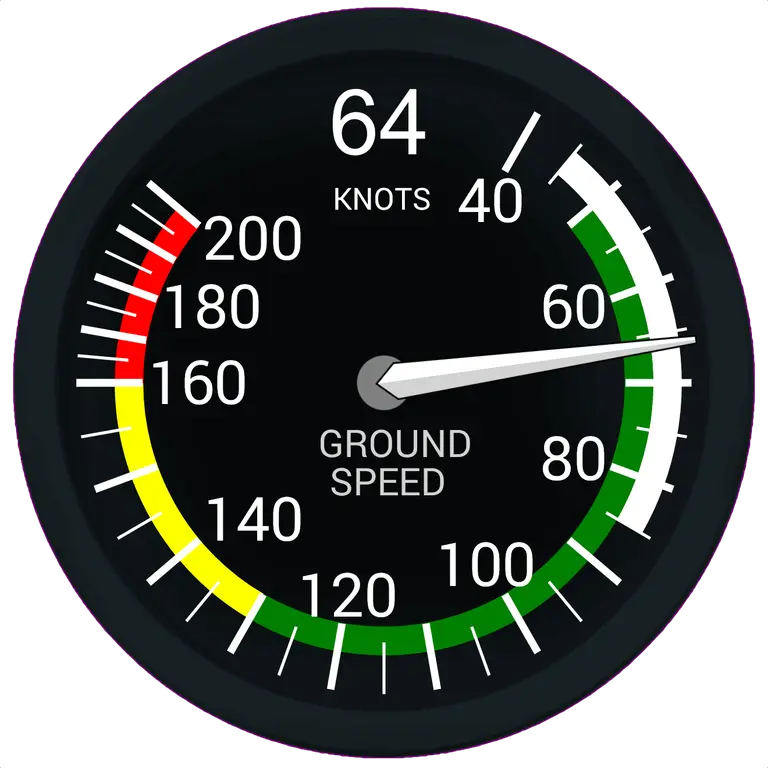
The Groundspeed Indicator displays your speed across ground, derived from GPS data, and reflects the combined effect of airspeed and wind on your speed over the ground.
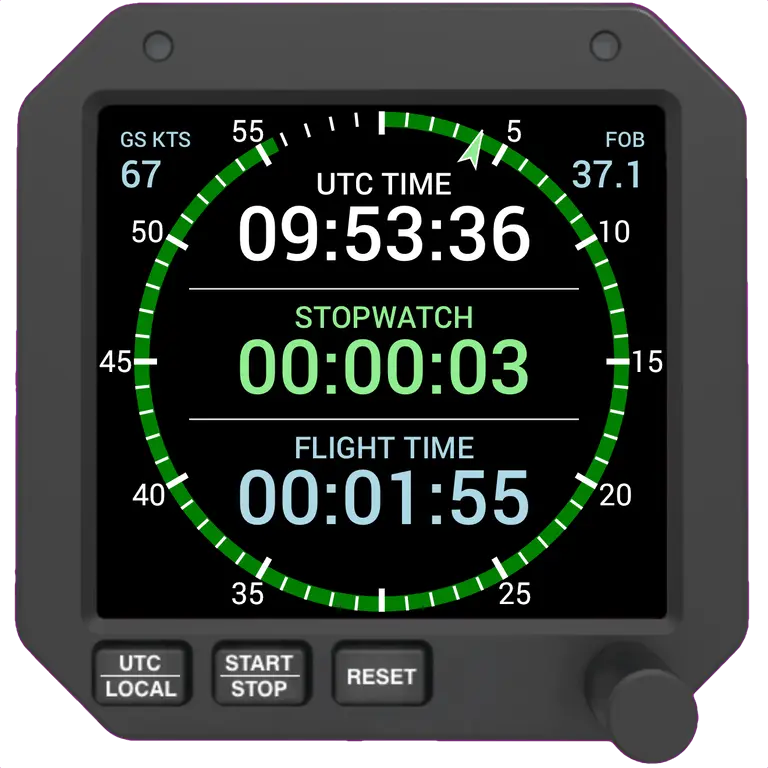
The Chronometer instrument provides a clock, stopwatch, flight timer and fuel totaliser.
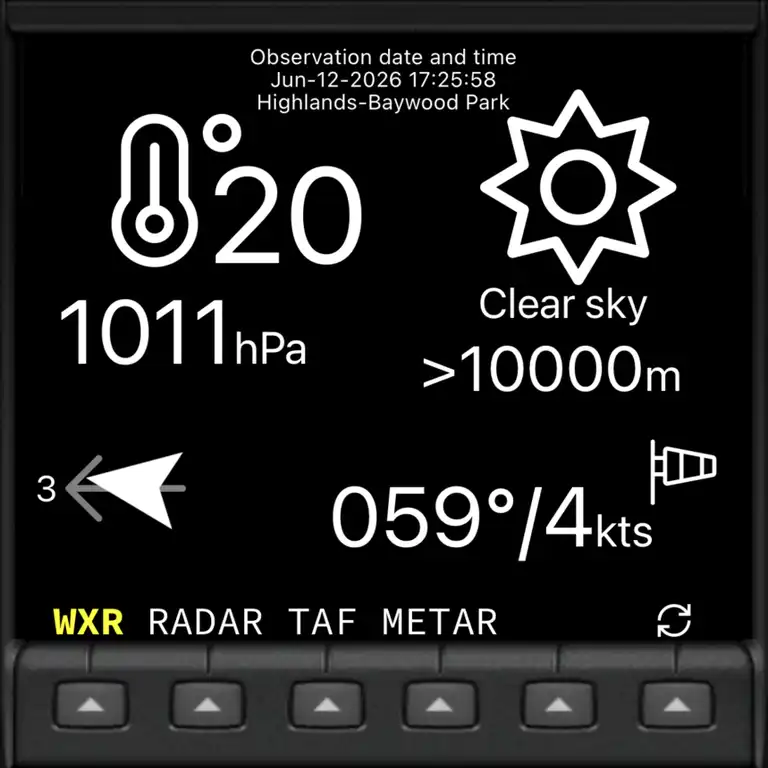
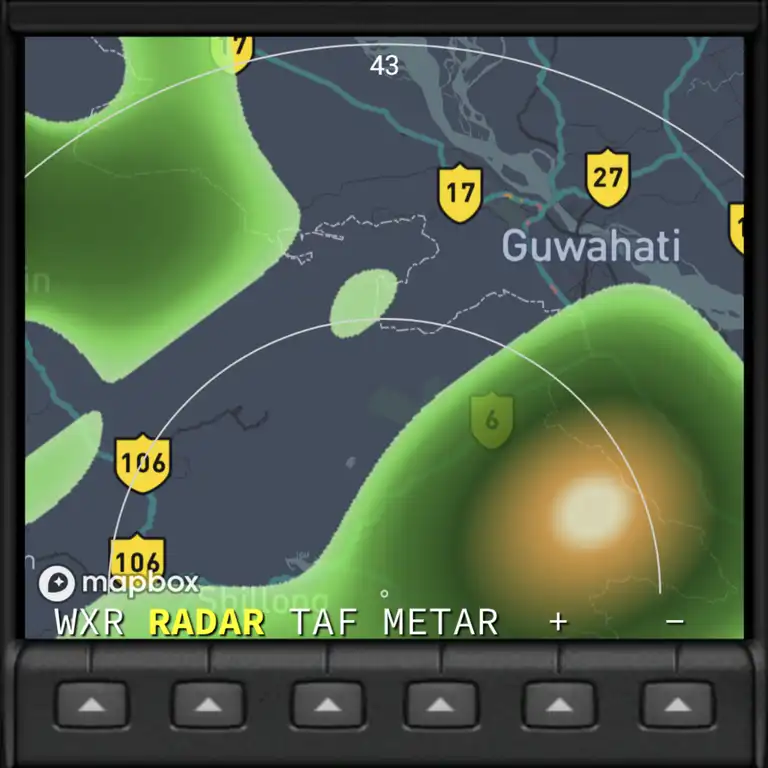
The Weather instrument shows current weather at your location, a synthetic precipitation radar as well as nearest TAF and METAR details.
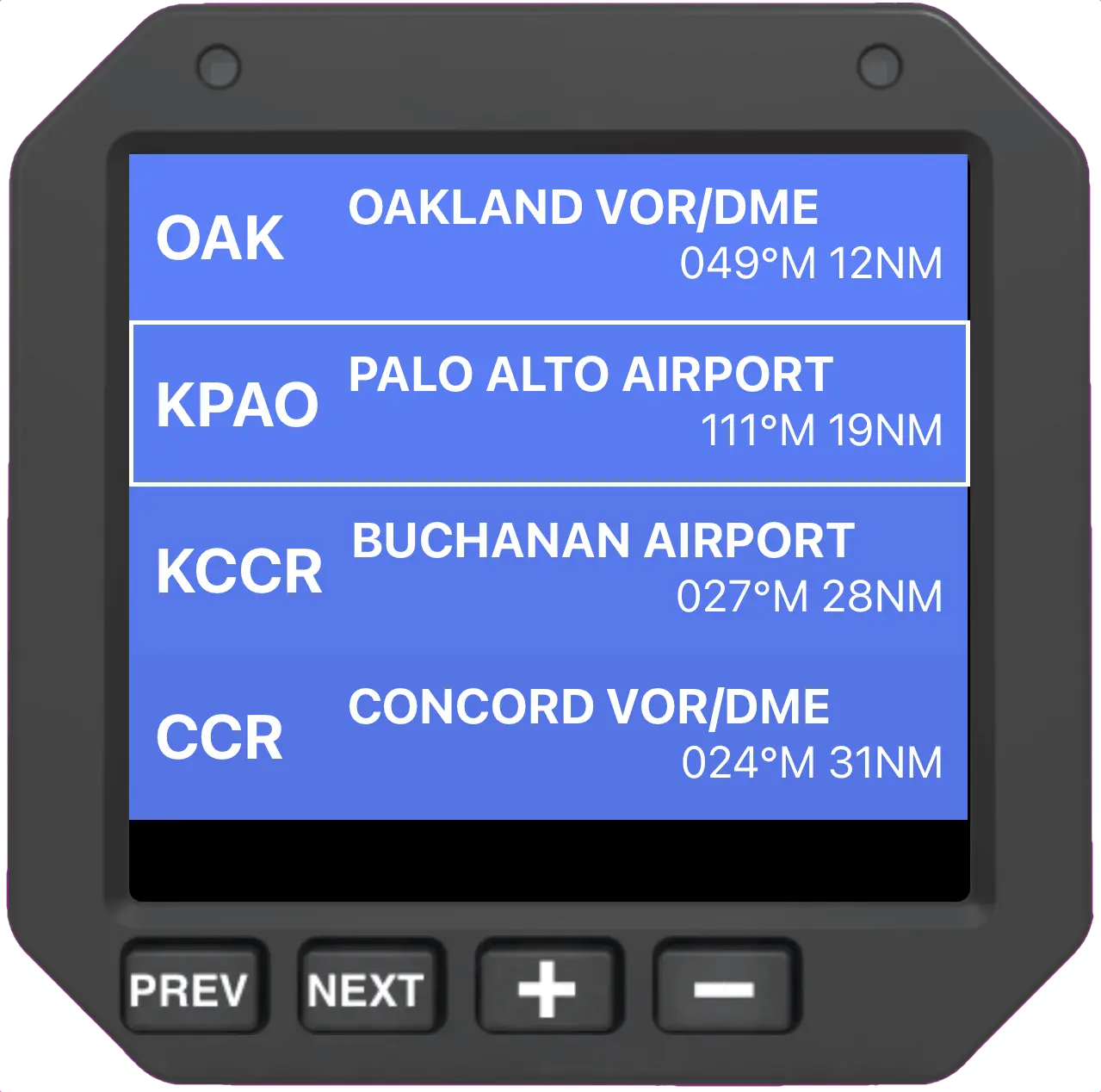
The Flight Planner instrument allows you to plan and execute a flight using ordered nav stations with automatic and manual transitions. You can slave instruments to the plan.
More than instruments
Multiple flight instruments, a worldwide navigation database, live weather, live traffic, traffic avoidance and an aviation moving map come together in a one-of-a-kind, unique, radio-navigation trainer - all in one beautiful app.
Create virtual VORs, NDBs and waypoints anywhere - even over your house - to practise tracking and intercepts! So much fun :-)
Pan your aircraft anywhere on the map and watch every instrument respond in real time. The best way to learn radio navigation.
Real-time TAF & METAR reports with RAW or decoded display, plus live wind and precipitation radar map overlays.
See-and-avoid with live ADS-B traffic and a built-in traffic collision and avoidance system (TCAS).
Airspace, airports and navaids on a clean moving map, now with optional 5/10/20NM range rings and enhanced radial lines.
Over 20,000 airports and radio navaids, fully searchable and filterable, updated monthly for Premium members.
Record where you flew and export your tracks as GPX or KML to share or review later.
Every instrument ships with its own built-in video tutorial, so you are never left guessing. Watch these by clicking on the instruments above.
Drive fDeck's instruments straight from your simulator and turn any phone or tablet into a secondary instrument panel. fDeck now connects to bothX-Plane andMicrosoft Flight Simulator.

Built for general aviation
Master VOR and ADF radio navigation, and the HSI before you ever start the engine. Reposition anywhere on the map and watch the needles respond.
Gorgeous backup instrumentation for your cockpit, plus live weather and ADS-B traffic for extra situational awareness.
Add modern instruments and traffic awareness to a minimal panel - no extra weight, no wiring, just grab your device and go!
Build a home-cockpit instrument panel that runs alongside X-Plane and Microsoft Flight Simulator.
Download fDeck free today, fly with beautiful instruments, and join tens of thousands of pilots already on board.